Priority Sector Wireframes
Priority Sector View
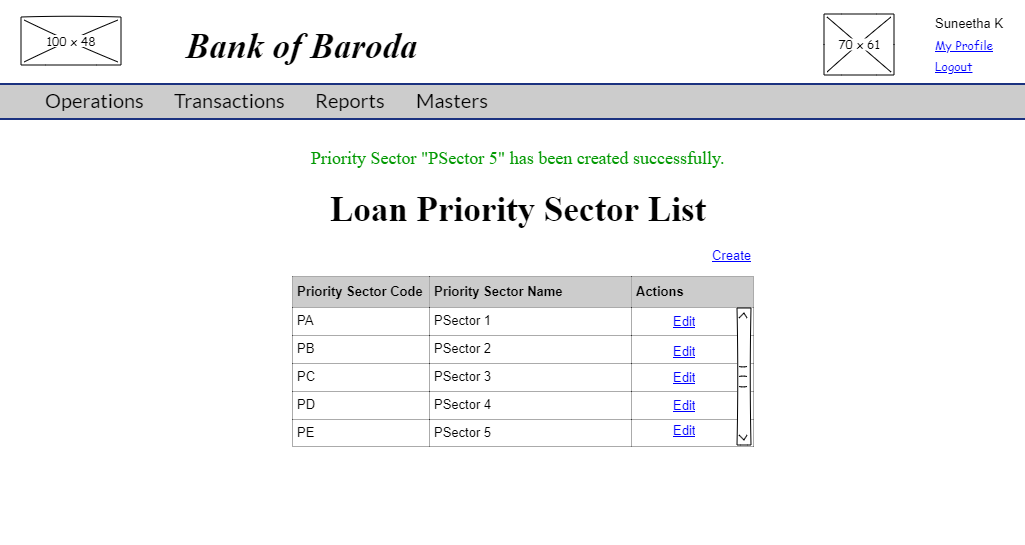
The 'Priority Sector' link from the Masters view screen takes one to the list of sectors corresponding to that bank.
User story reference: U1503

Priority Sector Create
By clicking on the create link,you are directed to priority sector create page. Enter the new priority sector code and sector name.
User story reference: U1501

By clicking the "Save" button, a new priority sector is created. You are redirected to priority sector list which contains the new added priority sector.
Priority Sector Edit
By clicking on the Edit link,you receive an input box. Write the modified sector name.
User story reference: U1502
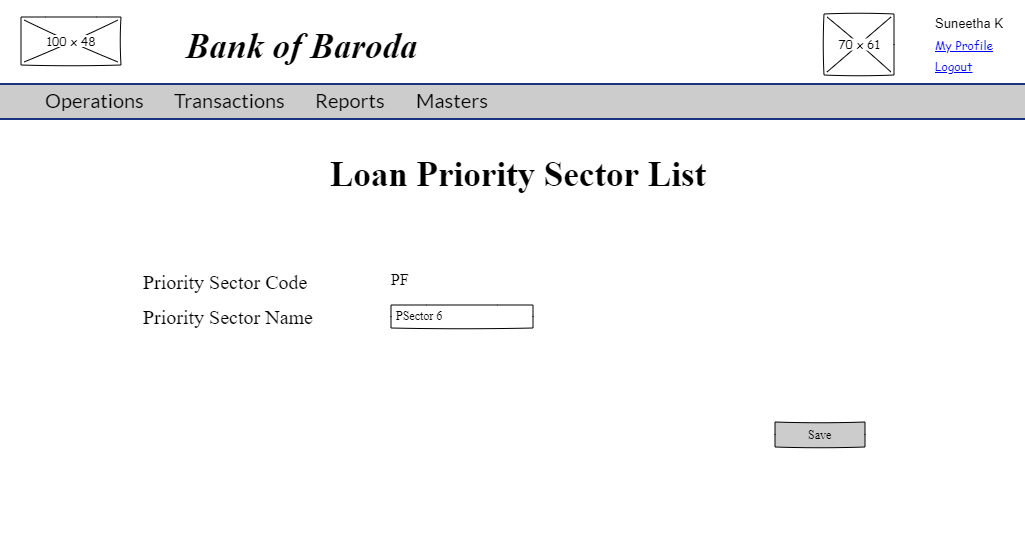
By clicking the "OK" button, modified priority sector details are saved. You are redirected to priority sector list which contains the modified priority sector.