Document Master Wireframes
Document List
User story reference: U4203
The "Document" link from the folio view screen takes one to list of documents of the respective folio(member).
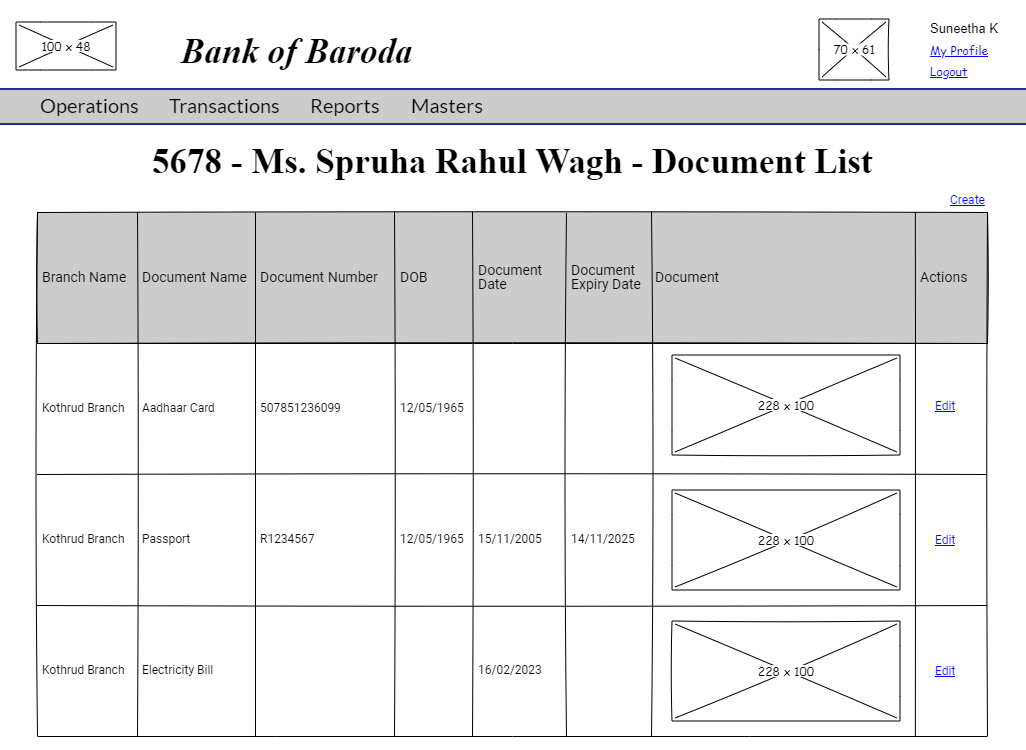
NOTE : When double clicked on the document image, full document is shown.
If no documents are available, the below UI is displayed with an information message.

Document Edit
User story reference: U3602
By clicking the Edit link in the document_list you are directed to document edit page. Enter the modified document details.
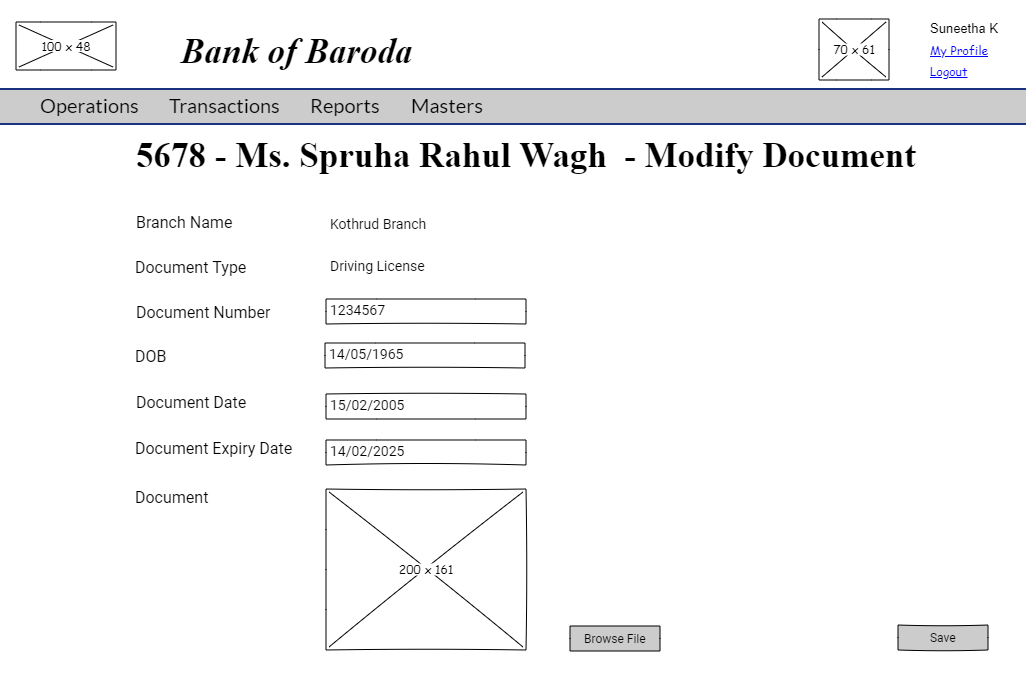
By clicking the "Save" button, modified document details are saved. You are redirected to refreshed document list of the member(folio).
Document Create
User story reference: U3601
Note that there is a create link on the document list page.By clicking that, you are directed to the document create page. Write the new document details. Here is the UI to enter new document details.
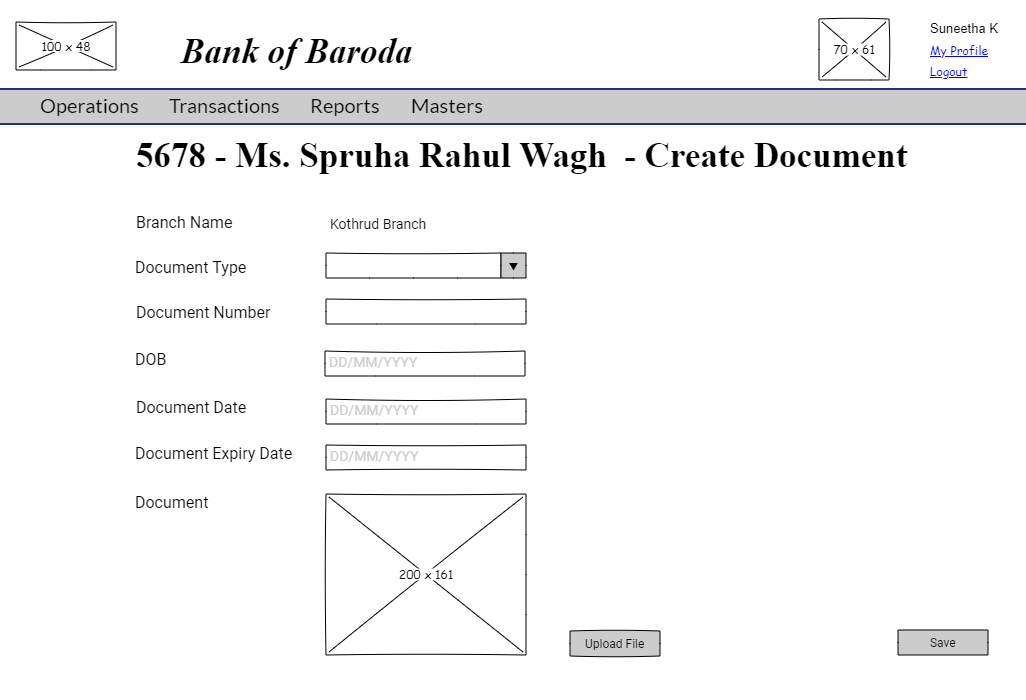
By clicking the "Save" button, a new document is created and a confirmation box appears asking "Any more documents to be created ?".
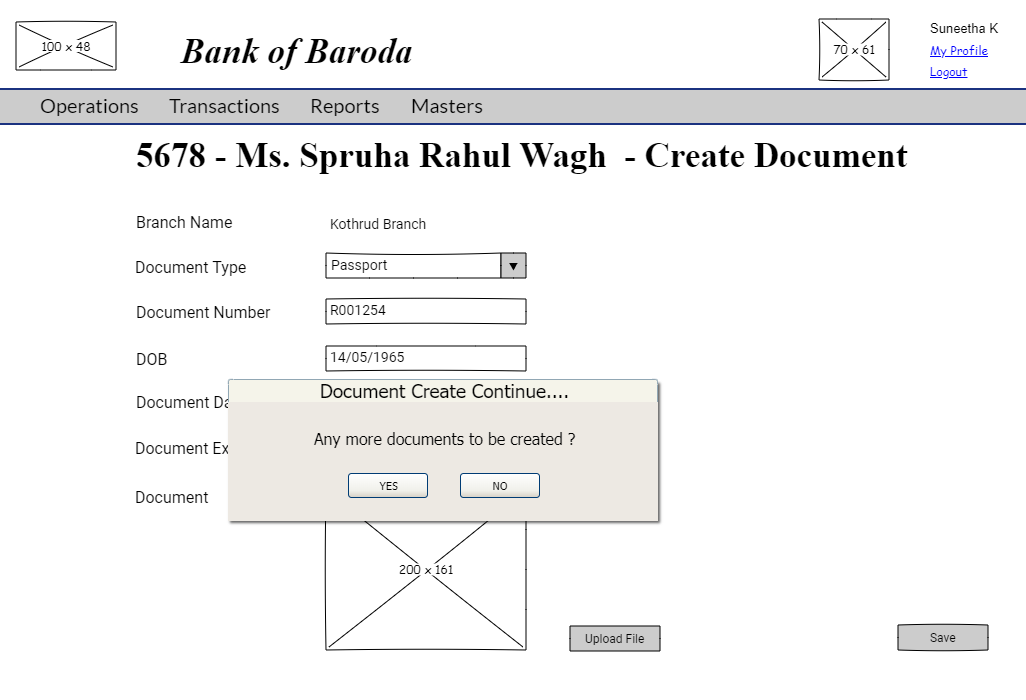
By clicking "YES", you are redirected to document create.
By clicking "NO", all documents created so far are saved and you are redirected to refreshed document list page which includes the new document details.
NOTE :
1. If the value of fields DOB, DOCUMENTDATE and DOCUMENTEXDATE is "Y" in DOCTYPEMST, the corresponding fields in create and edit pages are enabled.
2. If the value of fields DOB, DOCUMENTDATE and DOCUMENTEXDATE is "N" in DOCTYPEMST, the corresponding fields in create and edit pages are disabled.
2. DOCUMENTNO means actual number of the document. For example : the aadhaar card number or passport number or driving license number, etc.