Corporate Master Wireframes
Corporate List
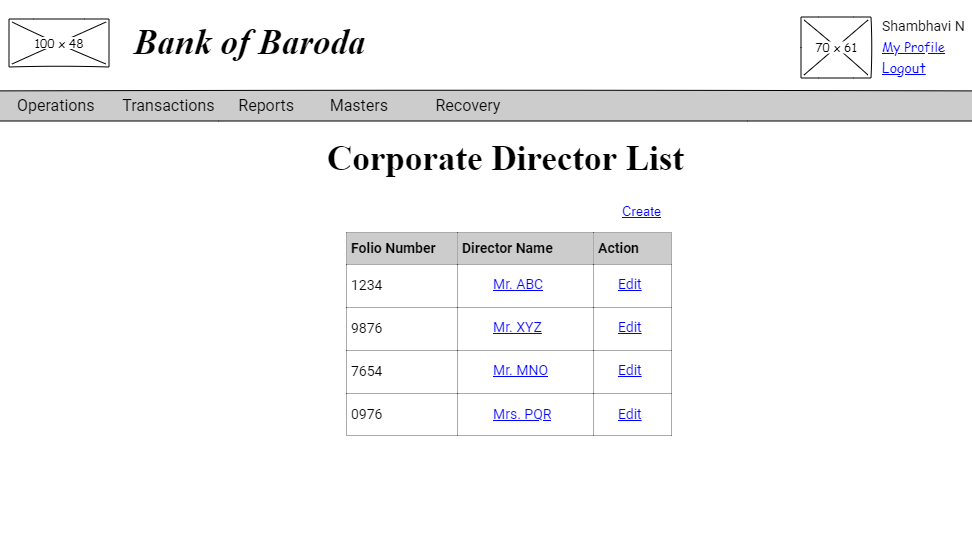
The 'Corporate Director List' link from the Masters view screen takes one to the list of corporate directors corresponding to that bank.
Corporate View
User story reference: U4803
By clicking a director name on the corporate director list page, you see the director's details. We have used an accordion, whose first section will be open by default.
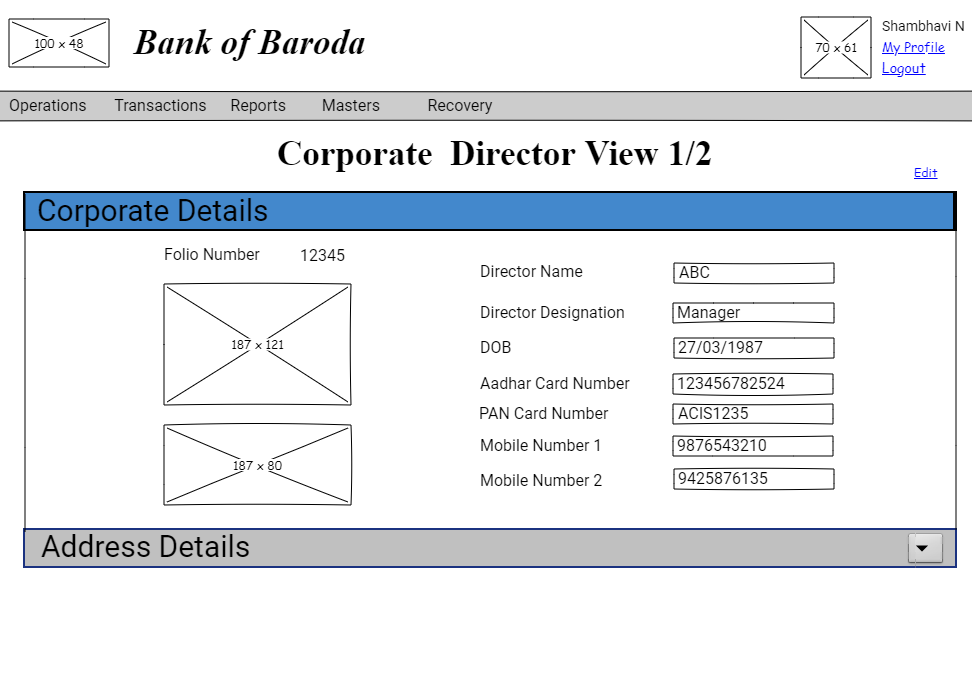
You may then open second section by clicking on that. Here is the second tab to see the address details.

Corporate Create
User story reference: U4801
Note that there is a create link on the corporate director list page.By clicking that, you will be taken to corporate director create step 1 page. Here is the UI to enter new corporate director details.

By clicking on "Next" button on corporate director details create step 1 page, you will be taken to corporate director details create step 2 page. You will be able to enter address details. Here is the UI to enter address details.
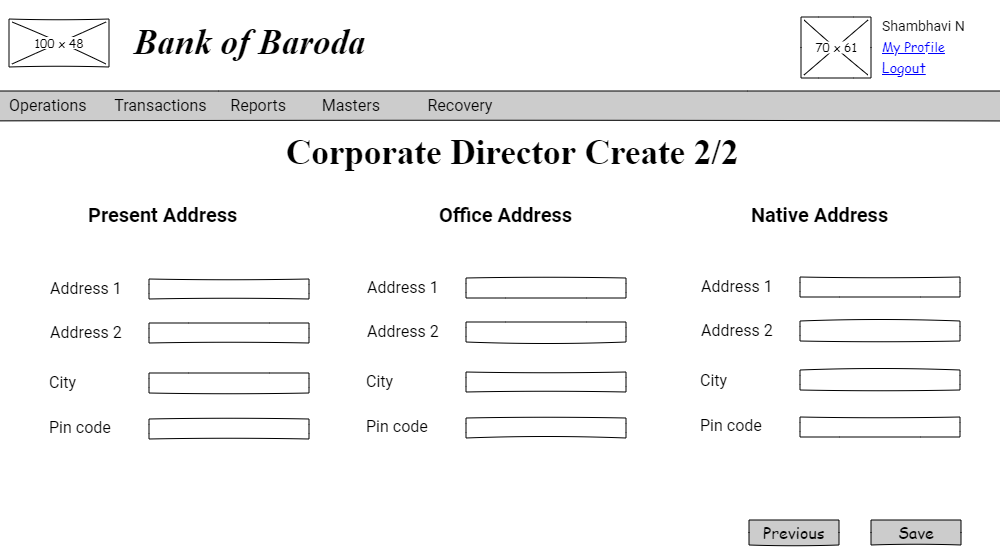
By clicking the "Save" button, a new corporate director record is created. The new corporate director record created goes through approval process.
Corporate Edit
User story reference: U4802
Note that there is an edit link in the corporate list page. By clicking that or you can use the edit link from the corporate view's page, you will be able to edit the details of corporate director.
Here is the UI to edit the corporate details.
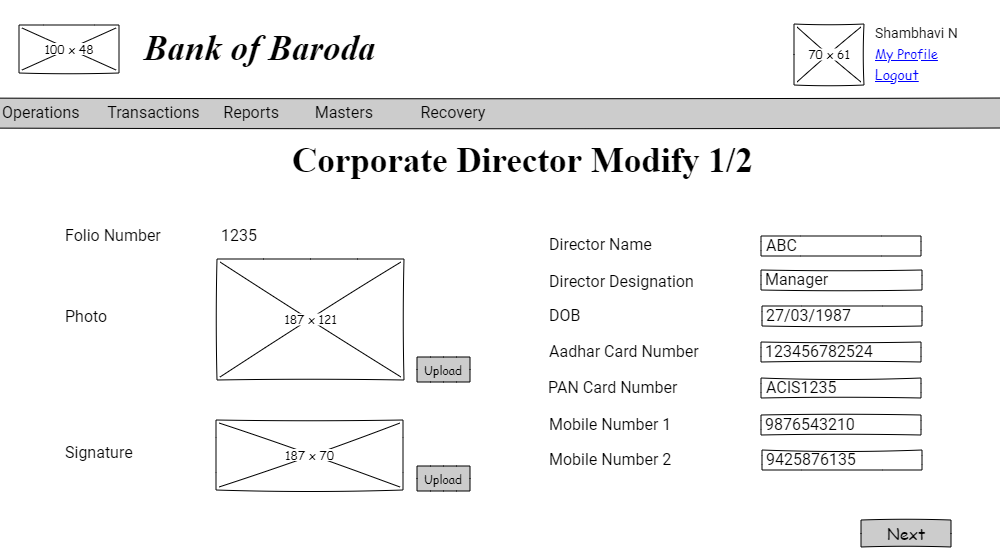
By clicking on the "Next" button, you are directed to address details.
Here is the UI to edit the address details.

By clicking the "Save" button, the corporate director details are modified. The corporate director details modified goes through approval process.
Corporate Create Approval
User story reference: U4804
When clicked on a particular task, you are directed to corporate director create approve page. Here is the UI for new corporate director details.
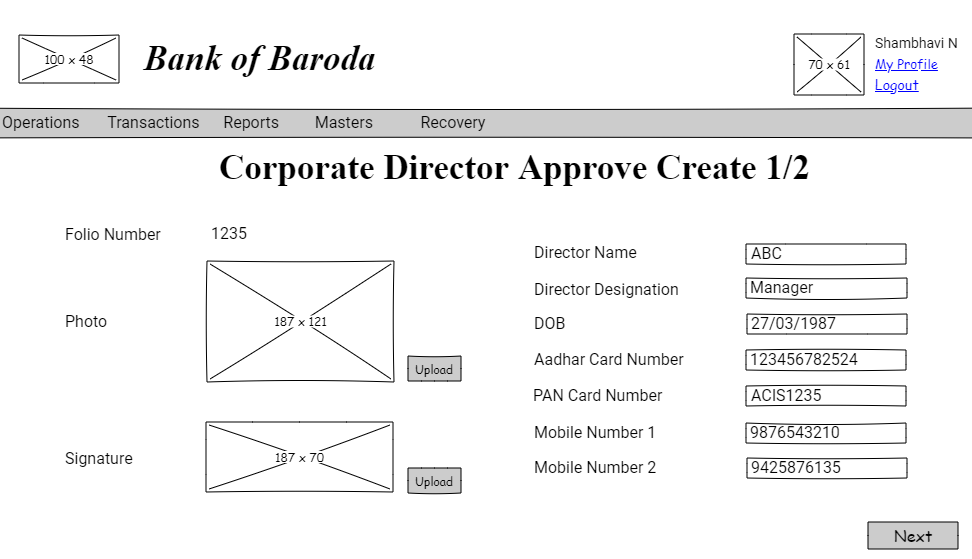
You review the corporate director details page.
By clicking on the "Next" button, you are directed to address details UI.
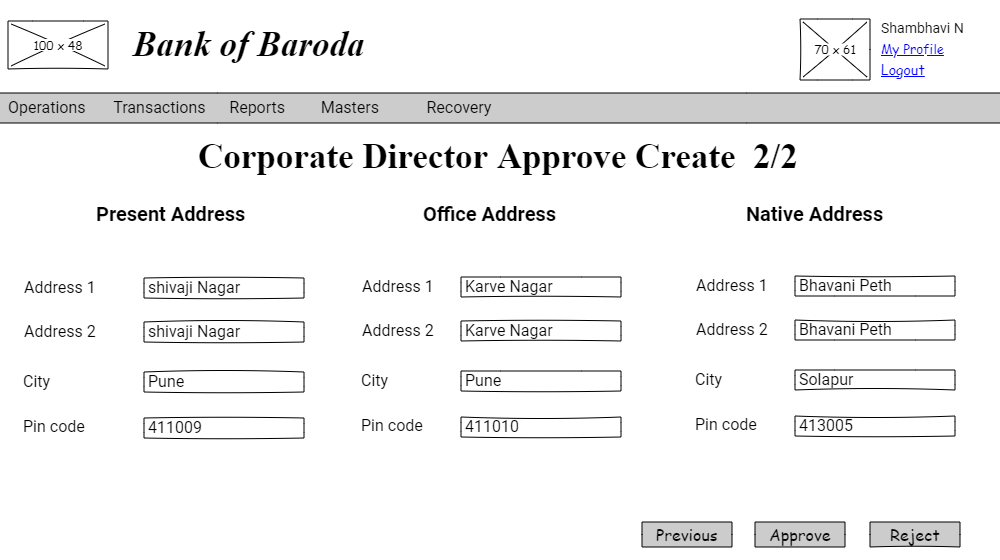
You review the address details page.
If "Approve" button is clicked, the corporate director details created is saved. You are redicrected to approval task list page with a information message.
If "Reject" button is clicked, the corporate director record created is not saved. You are redicrected to approval task list page with a information message.
Please refer to create approve screen validations.
Please refer to approval workflow validations.
Corporate Change Approval
User story reference: U4804
The approval task list will be visibe only to the user with responsibility to authorise a corporate director record's detail change. By clicking that you are taken to the list of tasks pending for approval.
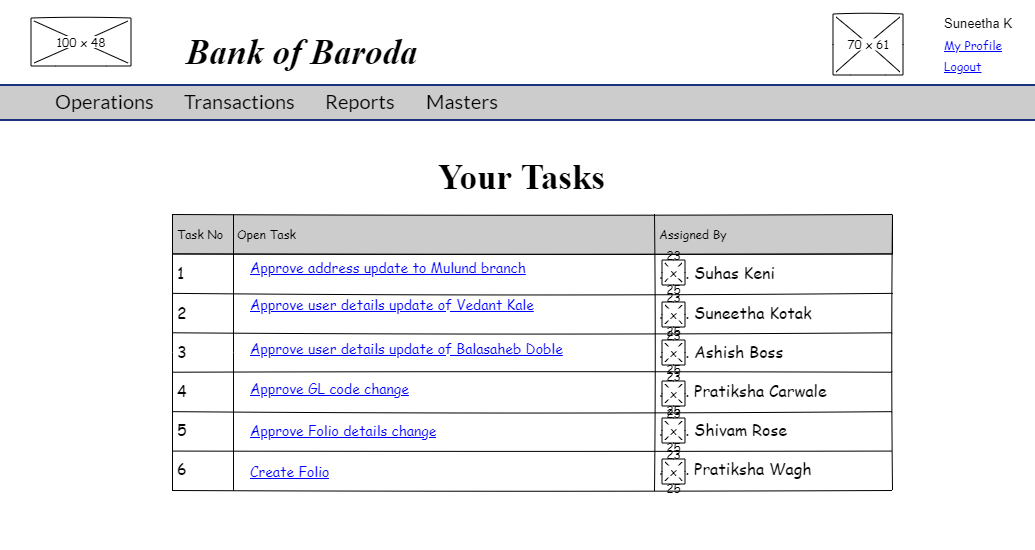
When clicked on a particular task, are directed to approve corporate director's page. Here is the UI for updating corporate details.
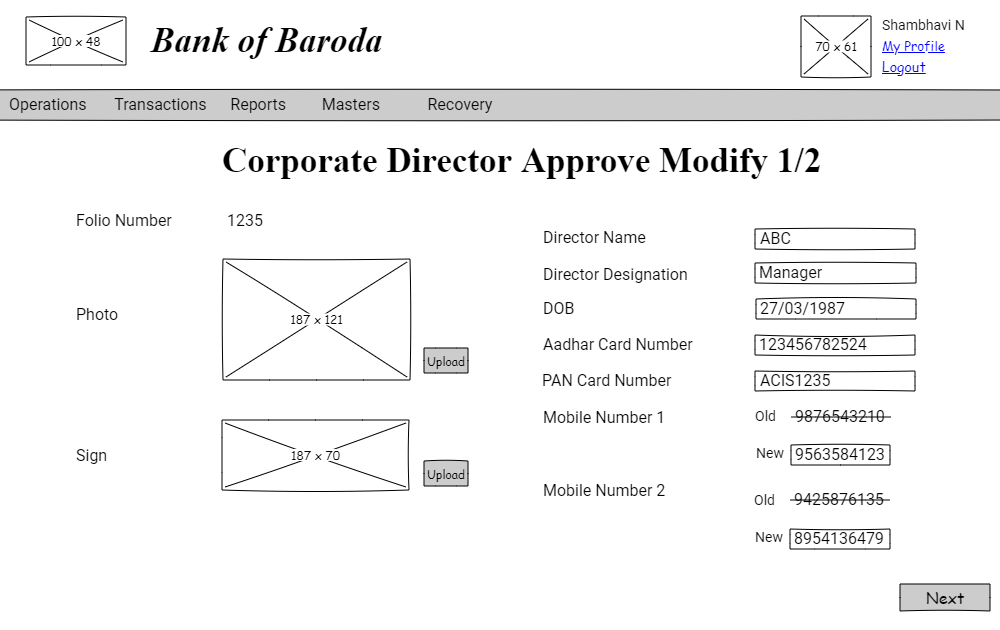
You review the corporate details page.
By clicking on the "Next" button, you are directed to address details UI.
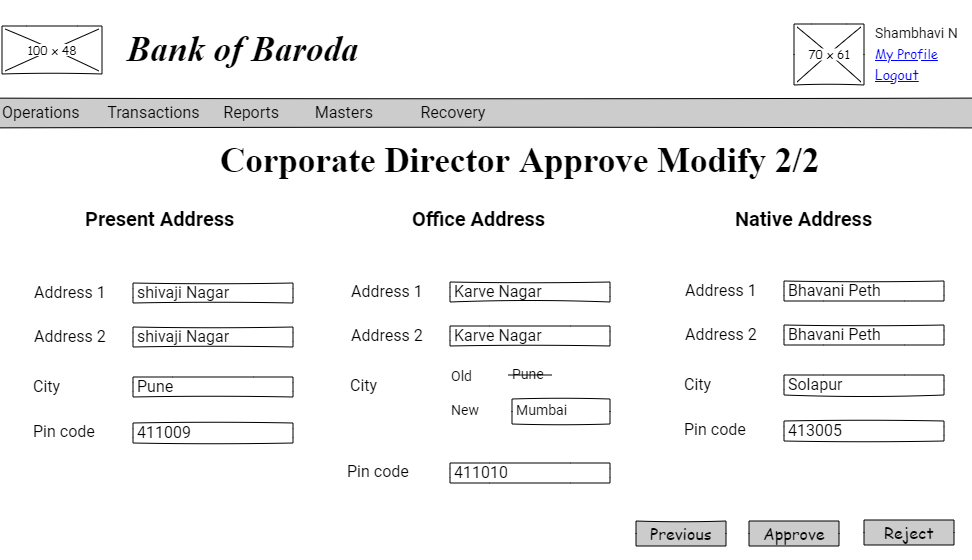
You review the address details page.
If "Reject" button is clicked, the corporate director detail change will not be saved with an information mesage and you are redirected to approval task list page.
If "Approve" button is clicked, the corporate director detail change will be saved with an information message and you are redirected to approval task list page.