GST Master Wireframes
GST List
User story reference: U2403
The 'GST' link from the Masters view screen takes one to the list of GST details of the members.

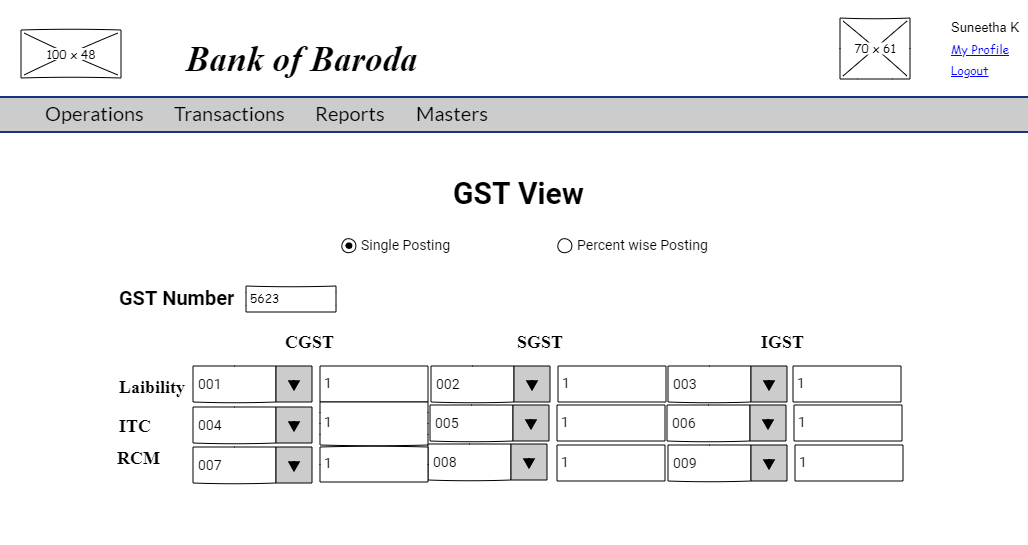
GST View
User story reference: U2403
When you click the link corresponding to an GST in the GST list screen,you come to the GST view screen.
GST Edit
_User story reference: U2402
By clicking the Edit link in the GST view you are directed to GST edit page. Enter the modified GST details.
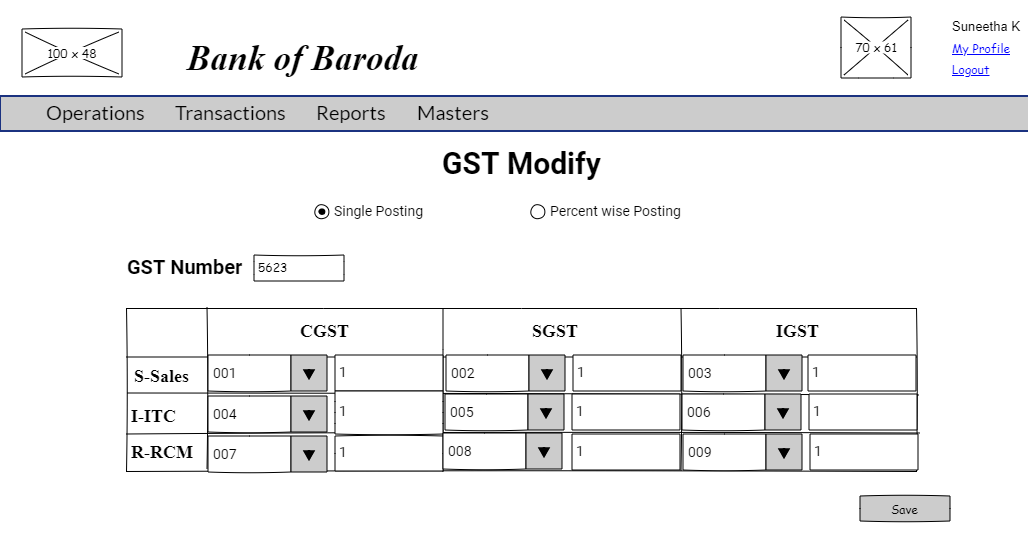
By clicking the "Save" button, modified GST details are saved. The modified GST details goes through approval process.
GST Create
_User story reference: U2401
Note that there is a create link on the GST list page.By clicking that, you are directed to the GST create page. Write the new GST details. Here is the UI to enter new GST details.
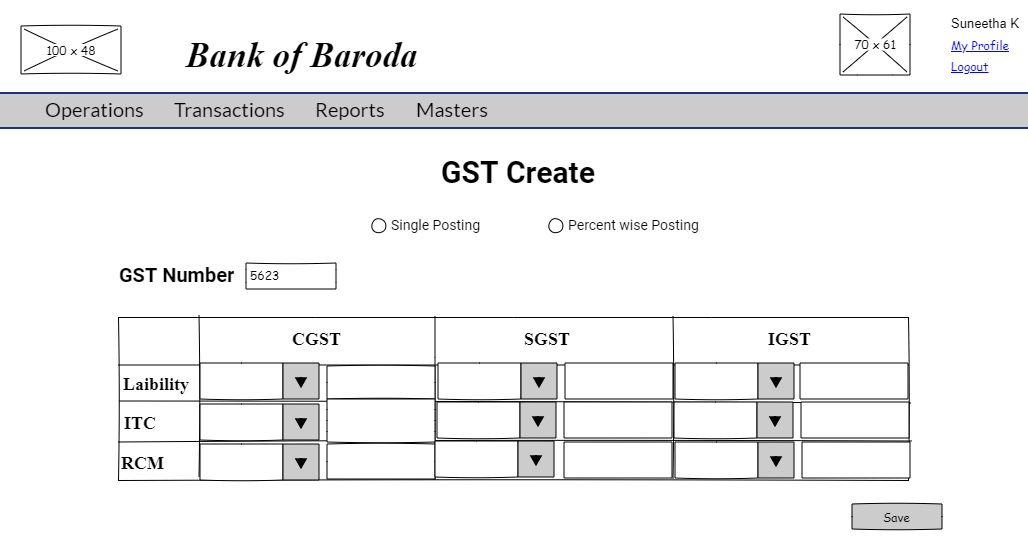
By clicking the "Save" button, a new GST is created. The new GST details created goes through approval process.